Ambient Mode on a TV is a smart feature that displays images, artwork, or useful information on the screen when the television is not actively showing content. It operates in a low-power state, designed to seamlessly blend the TV into its surroundings rather than leaving a prominent black void on your wall. This technology transforms the TV from a passive screen into an active part of your home’s décor, offering aesthetic integration and utility.
But is it just a glorified screensaver, or is it something more? As someone who has spent more hours than I care to admit dissecting the evolution of television, I can tell you it’s a fascinating leap forward. Let’s break down exactly what this technology is, how it works, and whether it’s a major upgrade or just a clever gimmick.
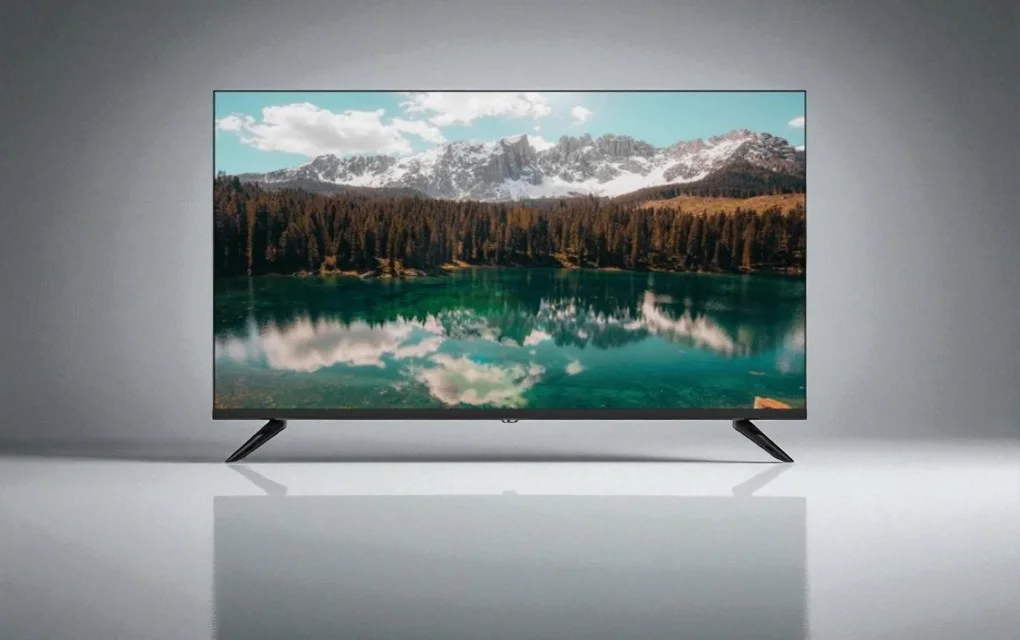
So, What Exactly is Ambient Mode on a TV?
In the simplest terms, Ambient Mode is a smart TV feature that displays images, artwork, or useful information on the screen when you’re not actively watching content. It operates in a low-power state, designed to seamlessly blend the television into its surroundings rather than leaving a black void on your wall.
Think of it as a screensaver on steroids. While old-school screensavers were just about preventing screen burn-in with flying toasters or abstract patterns, Ambient Mode is about aesthetic integration and utility. It’s your TV’s “idle” state, but an idle state with a purpose. Depending on the brand and model, this can include:
- A Digital Art Gallery: Displaying famous paintings from Van Gogh or Monet, or contemporary digital art. It essentially turns your TV into a rotating art piece.
- A Personal Photo Album: Showcase your own family photos, turning your largest screen into a dynamic picture frame.
- An Information Hub: Display useful widgets like the time, weather, or news headlines.
- The “Chameleon” Effect: This is perhaps its most famous trick. The TV can take a picture of the wall behind it and display that pattern on the screen, creating an almost transparent, camouflage effect that makes the device visually recede into the room.
The Evolution: From Test Patterns to Digital Canvases
To really appreciate Ambient Mode, you have to understand where we came from. For most of television’s history, a non-signal screen was either static “snow” or a colorful test pattern. It was purely functional, a tool for broadcasters and technicians. The idea of the TV having a “resting state” that was aesthetically pleasing was completely foreign.
The advent of plasma TVs brought the first real consumer-facing concern: screen burn-in. This led to the rise of screensavers on early smart TVs and media players—functional, but rarely beautiful. Ambient Mode represents the next logical step in this evolution. It’s a response to a cultural shift where technology is no longer just a tool but a part of our home’s interior design.
“We’re moving past the era of the television as a monolithic ‘black mirror’,” notes media ecologist Dr. Aris Thorne. “Ambient Mode is the industry’s first major attempt to reconcile the device’s function with its form, acknowledging that a TV spends more time off than on. It asks: what should a TV be when it’s not being a TV?”
How Does Ambient Mode Actually Work?
The magic behind Ambient Mode isn’t one single piece of technology but a clever combination of hardware and software working in concert. Here’s a look under the hood.
- Low-Power State: The first and most crucial element is the TV’s ability to operate using minimal energy. It’s not fully “on” in the way it is when you’re streaming a 4K movie, but it’s also not fully “off.” This low-power consumption is key to making it practical for all-day use without sending your electricity bill through the roof.
- Light and Motion Sensors: Many TVs with a robust Ambient Mode feature built-in sensors. A light sensor detects the ambient brightness of the room and adjusts the screen’s brightness to match. This is what makes a piece of digital art look like a convincing canvas rather than a glowing screen in a dim room. Motion sensors can detect when someone enters or leaves the room, turning the mode on or off automatically to save power.
- Connectivity: The feature relies on an internet connection to pull in new artwork, weather data, and news feeds. It’s connected to a vast library of content, ensuring you’re not just looking at the same three pre-loaded images forever.
That “Camouflage” Trick Explained
|
Our Picks for the Best Television in 2026
As an Amazon Associate, we earn from qualifying purchases.
|
||
| Num | Product | Action |
|---|---|---|
| 1 | Electric Spin Scrubber - Cordless Cleaning Brush with Digital Display, 2 Speeds, 8 Brush Heads, IPX7 Waterproof, Adjustable Long Handle for Bathroom, Tub, Tile, Shower, and Car |

|
The wall-blending feature, often called “Ambient Mode+” or associated with specific models like Samsung’s The Frame, is particularly clever. Typically, it requires you to use a smartphone app (like Samsung’s SmartThings). You take a picture of the TV and the wall around it with your phone. The app’s algorithm then analyzes the pattern, colors, and texture of the wall, creating a custom background that it sends to the TV. The result is a screen that mimics your wallpaper or paint color, creating a startlingly effective illusion of transparency.
Is Ambient Mode Just a Gimmick or a major upgrade?
This is the big question, isn’t it? After the novelty wears off, is it actually a feature you’ll use? The answer, like the ending of a great prestige drama, is complicated. It really depends on what you value in your home entertainment setup.
| The Aesthete’s Dream (Pros) | The Pragmatist’s Concern (Cons) |
|---|---|
| Eliminates the “Black Hole”: It solves a genuine interior design problem, making large TVs less visually intrusive. | Energy Consumption: While low-power, it’s not zero-power. It will use more electricity than a TV that is fully off. |
| Adds Ambiance and Personality: Can set a mood with art or serve as a dynamic family photo frame. | Risk of Burn-In?: A valid concern, especially for OLED TVs. Most modes mitigate this by subtly shifting the image or using pixel-refreshing tech, but the risk is never zero for static images displayed over very long periods. |
| Useful Information at a Glance: Provides quick access to weather, time, and news without needing to pick up your phone. | Cost: TVs with advanced Ambient Mode features (like The Frame) often come at a premium price. |
| A Conversation Starter: It’s undeniably cool. Having a Van Gogh suddenly appear on your wall is a “wow” moment for guests. | Reliance on Apps and Wi-Fi: The best features require a stable internet connection and can sometimes be finicky to set up via smartphone apps. |
From my experience, its value is directly proportional to how much you care about your home’s aesthetic. If your TV is in a dedicated home theater room in the basement, you probably won’t care. But if it’s the centerpiece of your main living space, the ability to transform it from a tech slab into a piece of art is, frankly, a brilliant leap forward.
Beyond Samsung: Who Else is in the Ambient Game?
While Samsung heavily markets “Ambient Mode,” especially with their lifestyle TV, “The Frame,” they aren’t the only ones. Other manufacturers have similar features, often under different names:
- LG’s Gallery Mode: Found on their higher-end OLED TVs, this functions very similarly, displaying famous artwork and photos. Given the perfect blacks of OLED, the effect can be stunning, making the frame of the TV truly disappear into the image.
- Sony’s Living Decor: Sony’s version turns the TV into a picture frame, a clock, or displays artistic screensavers.
- Google TV & Android TV: These operating systems have a built-in “Ambient Mode” that activates when idle, typically connecting to your Google Photos account or showing curated art and imagery.
The core concept is the same across the board: make the TV useful and beautiful, even when you’re not watching it.
Frequently Asked Questions
Does Ambient Mode cause screen burn-in?
Most modern TVs with this feature have built-in protections to prevent burn-in, such as slowly and subtly shifting the pixels of the image or automatically dimming it over time. For the average user, the risk is very low, but it’s not zero if you were to display a single, high-contrast static image for thousands of hours.
How much electricity does Ambient Mode use?
It varies by TV model, size, and screen technology (LED vs. OLED), but it’s designed to be a low-power state. It consumes significantly less energy than when the TV is fully on, but more than when it is in standby. Think of it like a smart speaker or a digital clock in terms of passive energy draw.
Can I use my own photos in Ambient Mode?
Yes, absolutely. This is one of its most popular uses. Most brands allow you to upload your personal photos via a companion smartphone app, effectively turning your TV into the world’s largest and most impressive digital photo frame.
Is Ambient Mode always on?
No, you can control it. Most TVs have motion sensors that can turn the mode off when the room is empty to save power. You can also manually turn it off completely or set timers for when you want it to be active.
Do I have to pay for the art in Ambient Mode?
Often, a selection of free artwork is included. However, some brands, like Samsung, offer a premium subscription service that gives you access to a much larger, curated library of art from world-renowned galleries and museums.
The Final Frame
So, what is ambient mode on a TV? It’s more than a feature; it’s a statement about the future of technology in our homes. It represents a shift from purely functional design to one that considers aesthetics, ambiance, and integration. It’s the television finally acknowledging that its life doesn’t end when the credits roll.
It may not be a must-have for every single person, but for those who have long been bothered by that giant black rectangle, Ambient Mode is a genuinely elegant and thoughtful solution. It’s a sign that our televisions are finally getting smart about more than just streaming apps—they’re getting smart about the spaces they inhabit. What do you think? Is it a feature you use or one you’d want on your next TV? Let the debate begin.
Frequently Asked Questions
Does Ambient Mode cause screen burn-in on modern televisions?
Most modern TVs with Ambient Mode include built-in protections to prevent screen burn-in, such as subtly shifting pixels or dimming the image over time. For the average user, the risk is very low, but it's not zero if a single, high-contrast static image is displayed for thousands of hours.
How much electricity does Ambient Mode consume compared to a TV being off?
Ambient Mode is designed to be a low-power state, consuming significantly less energy than when the TV is fully on, but more than when it is in standby. The exact consumption varies by TV model, size, and screen technology (LED vs. OLED), similar to a smart speaker's passive energy draw.
Can I display my personal photos using Ambient Mode on my TV?
Yes, absolutely. One of the most popular uses for Ambient Mode is displaying personal photos. Most brands allow users to upload their own images via a companion smartphone app, effectively turning the TV into a large digital photo frame.
Is Ambient Mode always active, or can it be controlled?
No, Ambient Mode is not always on by default and can be controlled. Many TVs feature motion sensors that can automatically turn the mode off when a room is empty to conserve power. Users can also manually disable it completely or set specific timers for its activation.
Do users need to pay for the artwork displayed in Ambient Mode?
Often, a selection of free artwork is included with Ambient Mode. However, some brands, like Samsung, offer a premium subscription service that provides access to a much larger, curated library of art from world-renowned galleries and museums for an additional cost.
Get our weekly buyer guide
Practical specs, not advice. Unsubscribe anytime.
I appreciate the idea of Ambient Mode, and it does look good with some of the pre-set images. However, I found the customization options for displaying my own photos a bit clunky to set up. It took me a while to get it just right, and it’s not as intuitive as I hoped. Still, it’s better than a blank screen.
This feature is pretty cool, especially for showing useful information like the weather or news headlines when the TV isn’t in use. It’s a nice touch and definitely elevates the look of the space. My only minor complaint is that sometimes the low-power state still feels a bit too bright in a completely dark room, even on the lowest setting.
I was skeptical about Ambient Mode at first, thinking it was just a screensaver, but it really does make a difference. My living room looks so much better now without that big black rectangle on the wall. I love being able to display artwork that matches my decor, it really blends the TV into the room seamlessly. It’s definitely more than just a gimmick.
I absolutely love the aesthetic integration Ambient Mode provides. It’s amazing how it transforms the TV from a passive screen into an active part of my home’s decor. I often use it to display calming nature scenes, and it really adds to the ambiance of the room. It’s a fantastic feature that I didn’t know I needed.