Replacing a TV stand involves careful planning and execution to enhance your viewing experience and room aesthetics. The process typically takes 1 to 3 hours for two people and includes measuring your space, selecting a suitable stand style, and following a step-by-step installation guide. This upgrade ensures proper ergonomics, better cable management, and a refreshed look for your entertainment area.
For years, I had this clunky, oversized stand I inherited from a previous apartment. It did the job, I guess, but it had all the personality of a network procedural on its 15th season. The day I finally replaced it, my entire living room—my entire viewing experience—leveled up. It was like switching from standard definition to 4K.
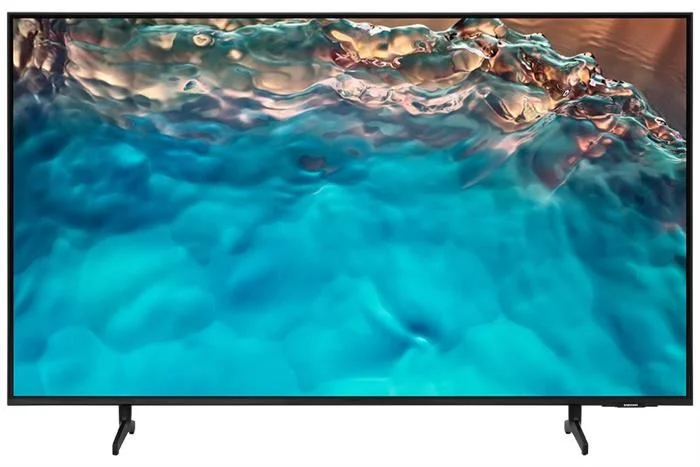 For see our televisions recommendations on this site.
Why Even Bother Replacing Your TV Stand?
Is your current TV stand just not sparking joy anymore? A proper media unit does more than just hold up your screen; it frames your entertainment experience. It’s the silent character in the room, setting the tone for every movie night and binge-watching marathon.
- Aesthetics: Your TV setup should match the vibe of your favorite shows. Are you aiming for the sleek, mid-century modern cool of Don Draper’s apartment in Mad Men? Or maybe the industrial, rustic feel of the Shelby’s Garrison pub in Peaky Blinders? The right stand pulls the whole room together.
- Ergonomics: Are you craning your neck to see the screen? You shouldn’t have to. The center of your TV screen should be at or slightly below eye level when you’re seated. The right stand puts the action right where it needs to be, no chiropractor required.
- Functionality: Let’s talk about the “spaghetti monster” of cables. A modern TV stand often comes with built-in cable management solutions, extra storage for your gaming consoles, and proper ventilation to keep your devices from overheating during a tense Stranger Things finale.
The Pre-Production Phase: Planning Your Big Move
Before you start unscrewing anything, a little planning goes a long way. You wouldn’t shoot a pilot without a script, right? This is the part where we measure twice and lift once.
Measuring Your Space and Your Star (The TV)
First, get out the tape measure. You need two key sets of dimensions: the space where the stand will go and the TV itself.
- Measure Your TV: Note the TV’s width, height, and depth. Crucially, check its weight. Every TV stand has a maximum weight capacity, and you do not want to test its limits.
- Check the VESA Pattern: If you’re considering a stand with an integrated mount, you’ll need your TV’s VESA pattern. This is the standardized distance between the four mounting holes on the back of your TV, measured in millimeters. You can usually find this in your TV’s manual or by measuring it yourself.
- Measure Your Room: How much wall space do you have? Note the width and depth available. to account for clearance on either side and ensure it won’t block a doorway or a high-traffic path.
Choosing a New Genre: Stand Styles for Every Viewer
|
Our Picks for the Best Television in 2026
As an Amazon Associate, we earn from qualifying purchases.
|
||
| Num | Product | Action |
|---|---|---|
| 1 | Electric Spin Scrubber - Cordless Cleaning Brush with Digital Display, 2 Speeds, 8 Brush Heads, IPX7 Waterproof, Adjustable Long Handle for Bathroom, Tub, Tile, Shower, and Car |

|
The world of TV stands is as diverse as television itself. What “genre” fits your home?
- The Minimalist Console: Sleek, low-profile, and clean. It’s the Scandinavian noir of TV stands—all function, no fuss. Perfect for a modern look where the TV is the undisputed star.
- The Mid-Century Modern Credenza: Characterized by tapered legs, warm wood tones, and clean lines. It’s a timeless classic that brings a touch of retro elegance, making your living room feel like a high-end film set from the 60s.
- The Corner Unit: A brilliant space-saving solution for smaller rooms or awkward layouts. It’s the clever sitcom solution to a tricky problem, maximizing your viewing area without dominating the space.
- The Floating Stand: Wall-mounted and ultra-modern. This style creates a sense of space and airiness, giving your setup a high-tech, futuristic vibe reminiscent of a starship bridge from Star Trek.
- The Entertainment Center Epic: This is the big one. A large unit with towers, shelves, and cabinets. It’s the blockbuster of TV stands, designed for the serious cinephile with a sound system, multiple consoles, and a physical media collection to display.
“The furniture that supports our television is often the most overlooked piece in the room, yet it dictates our physical and emotional relationship with the content we consume. Choosing a new stand is choosing a new perspective.”
— Dr. Alistair Finch, Media Culture Analyst
The Main Event: A Step-by-Step Guide on How to Replace TV Stand
Alright, the planning is done. It’s time for the main event. Grab a friend—this is definitely a two-person job, not a solo mission.
- Clear the Stage and Power Down: First things first, unplug everything. Not just the TV, but the soundbar, the PlayStation, the Apple TV—all of it. Carefully disconnect every HDMI, optical, and power cable. A pro-tip from someone who’s learned the hard way: take a picture of the back of your TV before you unplug everything. It’ll be a godsend when you’re trying to what goes where.
- Move the A-Lister: With your partner, carefully lift the television and move it to a safe, soft surface. A bed or a carpeted floor with a blanket on it works perfectly. Lay it screen-side up.
- Strike the Set: Now, remove the old TV stand. If it’s a simple console, this is easy. If it’s a larger entertainment center, you might need to disassemble it first.
- Assemble the Newcomer: This is the part that can feel like you’re trying to decipher the plot of Dark. Follow the manufacturer’s instructions to the letter. Lay out all your parts, identify all your screws, and take your time. Rushing here leads to wobbly stands and heartbreak.
- Position and Secure: Move your newly assembled stand into its final position. Use a level to make sure it’s perfectly flat. For safety, especially if you have kids or pets, it is highly recommended that you use the included anti-tip kit to anchor the stand to the wall.
- The Premiere: Carefully place your TV onto the new stand. If your TV has feet, make sure they are centered and stable. If you’re securing it to an integrated mount, follow the instructions to lock it in place.
- Post-Production: Cable Management: Before you plug everything back in, wrangle those cables. Use zip ties, velcro straps, or a cable sleeve to bundle them together. Run them through the cable management holes in your new stand. This is the difference between an amateur setup and a professional-looking home theater.
The Alternative Plot Twist: Wall Mounting Your TV
Sometimes, the best solution for how to replace TV stand is to get rid of it altogether. Wall-mounting your TV is a fantastic option for a clean, minimalist aesthetic. It frees up floor space and can create a true “home cinema” feel.
However, it’s a more involved process. You need to locate wall studs, use a heavy-duty wall mount rated for your TV’s size and weight, and be comfortable drilling into your walls. If you’re not confident, it’s a job best left to a professional. Think of it as hiring a special effects team for a stunt you’re not trained to do.
Frequently Asked Questions
What’s the ideal height for a TV stand?
The perfect height places the center of your TV screen at or just below your eye level when seated. A good rule of thumb is to measure the distance from the floor to your eye line while sitting on your sofa, then subtract half of your TV’s height. The result is your ideal TV stand height.
Can I put a bigger TV on my old stand?
You need to check two things: the width and the weight capacity. The TV’s base or feet should not hang over the edges of the stand. More importantly, the TV’s weight must be less than the maximum weight limit specified by the stand’s manufacturer to prevent a dangerous collapse.
How do I hide all the wires with my new TV stand?
Look for a stand with built-in cable management features like cutouts or channels in the back. You can also use cable sleeves to bundle wires together for a cleaner look, or cable clips that adhere to the back of the stand to guide wires out of sight.
Do I really need to anchor my TV stand to the wall?
Yes, it is strongly recommended. Anchoring your TV stand to the wall with an anti-tip kit is a critical safety measure, especially in homes with children or pets. It prevents the stand from toppling over if it’s accidentally bumped or climbed on.
How long does it take to replace a TV stand?
For two people, the entire process—from unplugging the old setup to having the new one ready for movie night—typically takes about 1 to 3 hours, depending on the complexity of the new stand’s assembly.
Curtain Call
Replacing your TV stand is so much more than a simple furniture swap. It’s a conscious decision to improve your viewing space, to honor the art form you love, and to create an environment worthy of the incredible stories being told on screen. You’ve curated your watchlist with care; it’s time to curate the stage on which those stories unfold. Now that you know how to replace TV stand, the only question left is: what incredible show or film will be the first to premiere on your new setup?
Frequently Asked Questions
What is the ideal height for a TV stand in a living room?
The ideal height for a TV stand positions the center of your TV screen at or slightly below eye level when you are seated. To determine this, measure the distance from the floor to your eye line while sitting on your sofa, then subtract half of your TV's height. This calculation provides the optimal stand height for comfortable viewing.
Can I use a larger television on my existing TV stand?
Before placing a larger TV on an old stand, you must verify both its width and weight capacity. The television's base or feet should fit entirely within the stand's surface without overhang. Crucially, the TV's weight must not exceed the maximum weight limit specified by the stand's manufacturer to prevent potential collapse and damage.
What are effective ways to hide wires with a new TV stand?
To effectively hide wires, look for TV stands equipped with built-in cable management features such as cutouts or channels in the back panel. Additionally, you can use cable sleeves to bundle multiple wires together for a cleaner look, or employ adhesive cable clips on the back of the stand to guide and secure wires out of sight.
Is it necessary to anchor a TV stand to the wall for safety?
Yes, it is highly recommended to anchor your TV stand to the wall using an anti-tip kit. This is a critical safety measure, particularly in households with children or pets, as it prevents the stand from accidentally toppling over if bumped or climbed on, reducing the risk of injury or damage.
How long does the entire process of replacing a TV stand typically take?
For two people, the entire process of replacing a TV stand, from unplugging the old setup to having the new one ready for use, typically takes about 1 to 3 hours. The exact duration can vary depending on the complexity of the new stand's assembly and the number of components to reconnect.
How to Replace Your TV Stand
Follow these steps to safely and effectively replace your old TV stand with a new one, improving your home theater setup.
Unplug all devices connected to your TV, including the soundbar, gaming consoles, and streaming boxes. Disconnect every cable, and take a photo of the TV's back connections for easy reassembly later.
With a partner, carefully lift the television and place it screen-side up on a safe, soft surface like a bed or a carpeted floor covered with a blanket. Ensure it is stable and protected from scratches.
Follow the manufacturer's instructions precisely to assemble your new TV stand. Lay out all parts and identify screws before starting to prevent errors. Take your time to ensure a sturdy and correct build.
Move the newly assembled stand into its final position and use a level to ensure it is perfectly flat. For safety, especially with children or pets, use the included anti-tip kit to anchor the stand to the wall.
Before plugging everything back in, organize your cables using zip ties, Velcro straps, or cable sleeves. Route them through any built-in cable management holes in your new stand for a clean, professional look.
Get our weekly buyer guide
Practical specs, not advice. Unsubscribe anytime.
I finally got around to replacing my old TV stand after reading about how much of a difference it could make. The guide on cable management was a lifesaver! My entertainment area looks so much cleaner now, and it really does feel like a whole new setup. Definitely worth the 2 hours it took me and my husband to get it done.
The advice on selecting a suitable stand style was helpful, and I did find a much better looking unit. However, the installation took me a bit longer than the 3 hours mentioned, even with a friend helping. Some of the instructions for my specific stand were a little vague, so we had to improvise a bit. Still, the end result is good, just be prepared for it to potentially take a bit longer.
My old stand was definitely giving ‘network procedural on its 15th season’ vibes, so I knew it was time for a refresh. The step-by-step guide made the whole process feel manageable, and I love the refreshed look of my living room. It’s amazing how much a new media unit can change the entire aesthetic and viewing experience.
I was hesitant about upgrading my TV stand, thinking it was just a minor detail. But the point about ergonomics really hit home. My neck used to ache after long movie nights, and adjusting the height with a new stand has made a noticeable difference. I wish I’d done this sooner, it’s a small change with a big impact on comfort.